机器人模型和机器人状态
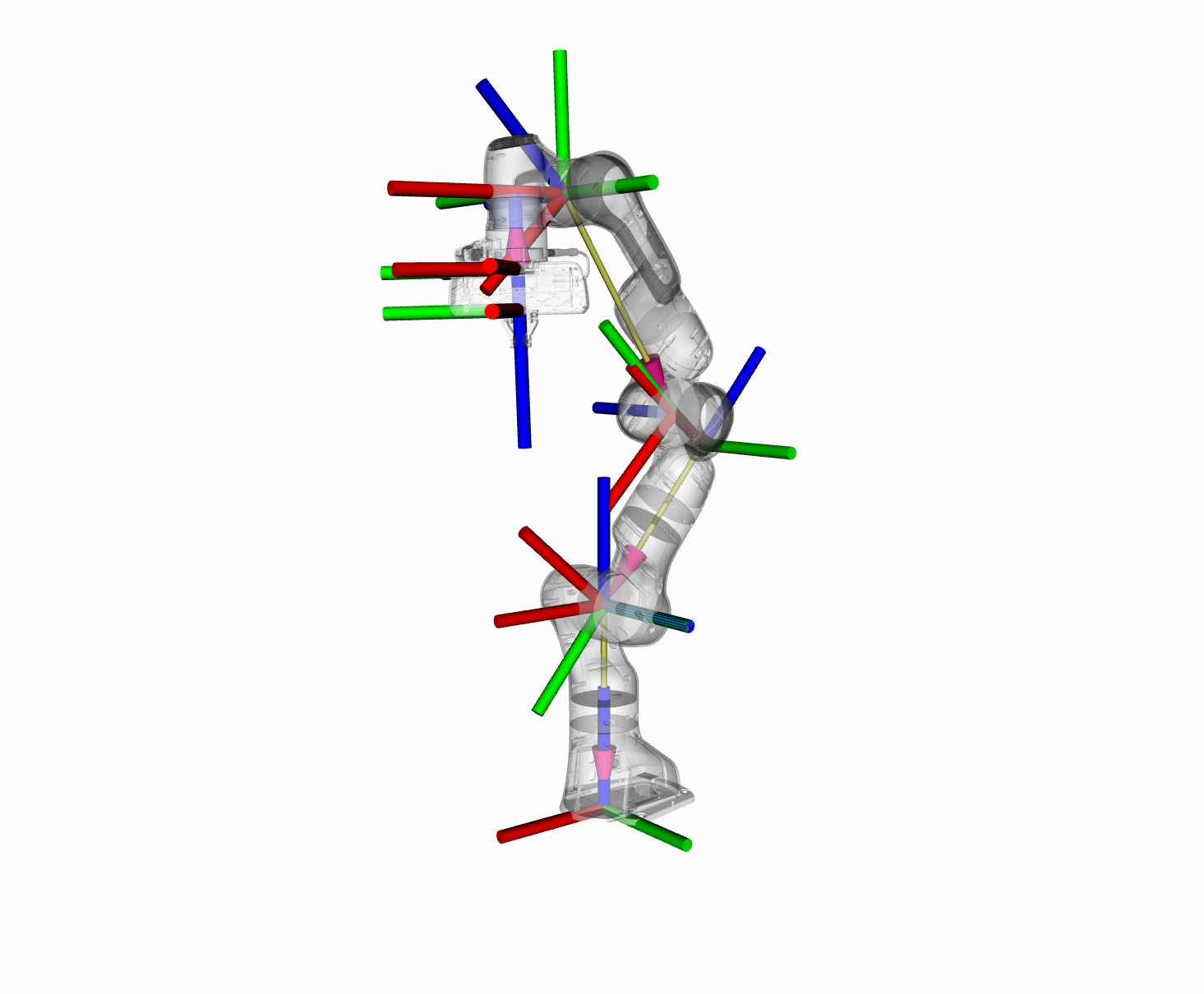
在本节中,我们将向您介绍在 MoveIt 中使用运动学的 C++ API。
RobotModel 和 RobotState 类
The RobotModel and RobotState classes are the core classes that give you access to a robot’s kinematics.
The RobotModel class contains the relationships between all links and joints including their joint limit properties as loaded from the URDF. The RobotModel also separates the robot’s links and joints into planning groups defined in the SRDF. A separate tutorial on the URDF and SRDF can be found here: URDF and SRDF Tutorial
The RobotState contains information about the robot at a certain point in time, storing vectors of joint positions and optionally velocities and accelerations. This information can be used to obtain kinematic information about the robot that depends on its current state, such as the Jacobian of an end effector.
RobotState 还包含辅助函数,用于根据末端执行器位置(笛卡尔姿势)设置手臂位置以及计算笛卡尔轨迹。
在此示例中,我们将介绍将这些类与 Panda 结合使用的过程。
入门
如果您尚未完成,请确保您已完成 Getting Started.
运行代码
本教程中的所有代码都可以从 MoveIt 设置中的 moveit2_tutorials 包中编译和运行。
Roslaunch 启动文件以直接从 moveit2_tutorials 运行代码:
ros2 launch moveit2_tutorials robot_model_and_robot_state_tutorial.launch.py
预期输出
预期输出将采用以下形式。由于我们使用的是随机关节值,因此数字不会匹配:
... [robot_model_and_state_tutorial]: Model frame: world
... [robot_model_and_state_tutorial]: Joint panda_joint1: 0.000000
... [robot_model_and_state_tutorial]: Joint panda_joint2: 0.000000
... [robot_model_and_state_tutorial]: Joint panda_joint3: 0.000000
... [robot_model_and_state_tutorial]: Joint panda_joint4: 0.000000
... [robot_model_and_state_tutorial]: Joint panda_joint5: 0.000000
... [robot_model_and_state_tutorial]: Joint panda_joint6: 0.000000
... [robot_model_and_state_tutorial]: Joint panda_joint7: 0.000000
... [robot_model_and_state_tutorial]: Current state is not valid
... [robot_model_and_state_tutorial]: Current state is valid
... [robot_model_and_state_tutorial]: Translation:
-0.368232
0.645742
0.752193

... [robot_model_and_state_tutorial]: Rotation:
 0.362374 -0.925408  -0.11093
 0.911735  0.327259  0.248275
 -0.193453 -0.191108  0.962317

... [robot_model_and_state_tutorial]: Joint panda_joint1: 2.263889
... [robot_model_and_state_tutorial]: Joint panda_joint2: 1.004608
... [robot_model_and_state_tutorial]: Joint panda_joint3: -1.125652
... [robot_model_and_state_tutorial]: Joint panda_joint4: -0.278822
... [robot_model_and_state_tutorial]: Joint panda_joint5: -2.150242
... [robot_model_and_state_tutorial]: Joint panda_joint6: 2.274891
... [robot_model_and_state_tutorial]: Joint panda_joint7: -0.774846
... [robot_model_and_state_tutorial]: Jacobian:
  -0.645742     -0.26783   -0.0742358    -0.315413    0.0224927    -0.031807 -2.77556e-17
  -0.368232     0.322474    0.0285092    -0.364197   0.00993438     0.072356  2.77556e-17
          0    -0.732023    -0.109128     0.218716   2.9777e-05     -0.11378 -1.04083e-17
          0    -0.769274    -0.539217     0.640569     -0.36792     -0.91475     -0.11093
          0    -0.638919      0.64923   -0.0973283     0.831769     -0.40402     0.248275
          1  4.89664e-12     0.536419     0.761708     0.415688  -0.00121099     0.962317
Note: 如果您的输出有不同的 ROS 控制台格式,请不要担心。
完整代码
完整代码可见 here in the MoveIt GitHub project.
Start
Setting up to start using the RobotModel class is very easy. In general, you will find that most higher-level components will return a shared pointer to the RobotModel. You should always use that when possible. In this example, we will start with such a shared pointer and discuss only the basic API. You can have a look at the actual code API for these classes to get more information about how to use more features provided by these classes.
We will start by instantiating a RobotModelLoader object, which will look up the robot description on the ROS parameter server and construct a RobotModel for us to use.
robot_model_loader::RobotModelLoader robot_model_loader(node);
const moveit::core::RobotModelPtr& kinematic_model = robot_model_loader.getModel();
RCLCPP_INFO(LOGGER, "Model frame: %s", kinematic_model->getModelFrame().c_str());
Using the RobotModel, we can construct a RobotState that maintains the configuration of the robot. We will set all joints in the state to their default values. We can then get a JointModelGroup, which represents the robot model for a particular group, e.g. the “panda_arm” of the Panda robot.
moveit::core::RobotStatePtr robot_state(new moveit::core::RobotState(kinematic_model));
robot_state->setToDefaultValues();
const moveit::core::JointModelGroup* joint_model_group = kinematic_model->getJointModelGroup("panda_arm");

const std::vector<std::string>& joint_names = joint_model_group->getVariableNames();
Get Joint Values
We can retrieve the current set of joint values stored in the state for the Panda arm.
std::vector<double> joint_values;
robot_state->copyJointGroupPositions(joint_model_group, joint_values);
for (std::size_t i = 0; i < joint_names.size(); ++i)
{
  RCLCPP_INFO(LOGGER, "Joint %s: %f", joint_names[i].c_str(), joint_values[i]);
}
Joint Limits
setJointGroupPositions() does not enforce joint limits by itself, but a call to enforceBounds() will do it.
/* Set one joint in the Panda arm outside its joint limit */
joint_values[0] = 5.57;
robot_state->setJointGroupPositions(joint_model_group, joint_values);

/* Check whether any joint is outside its joint limits */
RCLCPP_INFO_STREAM(LOGGER, "Current state is " << (robot_state->satisfiesBounds() ? "valid" : "not valid"));

/* Enforce the joint limits for this state and check again*/
robot_state->enforceBounds();
RCLCPP_INFO_STREAM(LOGGER, "Current state is " << (robot_state->satisfiesBounds() ? "valid" : "not valid"));
Forward Kinematics
Now, we can compute forward kinematics for a set of random joint values. Note that we would like to find the pose of the “panda_link8” which is the most distal link in the “panda_arm” group of the robot.
robot_state->setToRandomPositions(joint_model_group);
const Eigen::Isometry3d& end_effector_state = robot_state->getGlobalLinkTransform("panda_link8");

/* Print end-effector pose. Remember that this is in the model frame */
RCLCPP_INFO_STREAM(LOGGER, "Translation: \n" << end_effector_state.translation() << "\n");
RCLCPP_INFO_STREAM(LOGGER, "Rotation: \n" << end_effector_state.rotation() << "\n");
Inverse Kinematics
We can now solve inverse kinematics (IK) for the Panda robot. To solve IK, we will need the following:
The desired pose of the end-effector (by default, this is the last link in the “panda_arm” chain): end_effector_state that we computed in the step above.
The timeout: 0.1 s
double timeout = 0.1;
bool found_ik = robot_state->setFromIK(joint_model_group, end_effector_state, timeout);
Now, we can print out the IK solution (if found):
if (found_ik)
{
  robot_state->copyJointGroupPositions(joint_model_group, joint_values);
  for (std::size_t i = 0; i < joint_names.size(); ++i)
  {
    RCLCPP_INFO(LOGGER, "Joint %s: %f", joint_names[i].c_str(), joint_values[i]);
  }
}
else
{
  RCLCPP_INFO(LOGGER, "Did not find IK solution");
}
Get the Jacobian
We can also get the Jacobian from the RobotState.
Eigen::Vector3d reference_point_position(0.0, 0.0, 0.0);
Eigen::MatrixXd jacobian;
robot_state->getJacobian(joint_model_group, robot_state->getLinkModel(joint_model_group->getLinkModelNames().back()),
                         reference_point_position, jacobian);
RCLCPP_INFO_STREAM(LOGGER, "Jacobian: \n" << jacobian << "\n");
启动文件
要运行代码,您需要一个启动文件,该文件可执行两项操作: * 将 Panda URDF 和 SRDF 加载到参数服务器上,以及 * 将 MoveIt 设置助手生成的 kinematics_solver 配置放到 ROS 参数服务器上,该服务器位于本教程中实例化类的节点的命名空间中。
from launch import LaunchDescription
from launch_ros.actions import Node
from moveit_configs_utils import MoveItConfigsBuilder


def generate_launch_description():
    moveit_config = MoveItConfigsBuilder("moveit_resources_panda").to_moveit_configs()

    tutorial_node = Node(
        package="moveit2_tutorials",
        executable="robot_model_and_robot_state_tutorial",
        output="screen",
        parameters=[
            moveit_config.robot_description,
            moveit_config.robot_description_semantic,
            moveit_config.robot_description_kinematics,
        ],
    )

    return LaunchDescription([tutorial_node])