



















Nano入门教程软件篇-安装yolov8
纠错,疑问,交流: 请进入讨论区或 请点击进入页面,扫码加入微信群或Q群进行交流
获取最新文章: 扫一扫加入“创客智造”公众号
文章说明
- 本教程主要如何在
Jetson Nano下安装yolov8 - 测试环境:
Jetson Nano+Ubuntu 20.04+Logitech C920 WebCam
前提准备
- 最好安装
Ubuntu 20.04系统,因为预装好OpenCV-4.8.0等依赖 - 系统安装教程链接:Nano入门教程基础篇-安装Ubuntu 20.04系统
- yolov8的基本库版本要求
| 依赖库           | 最低版本              | 用途
| torch         | ≥ 1.8.0(推荐 ≥ 2.0)  | PyTorch 深度学习框架
| numpy         | ≥ 1.24.0              | 基础矩阵运算
| opencv-python | ≥ 4.6.0               | 图像处理和视频流
| matplotlib    | ≥ 3.7.0               | 结果可视化
| seaborn       | ≥ 0.13.0              | 可选图表美化
| pandas        | ≥ 2.0.0               | 数据统计(训练日志)
| tqdm          | 最新版即可             | 训练/推理进度条
| scipy         | ≥ 1.10.0              | 数学优化函数
| PyYAML        | ≥ 5.3                 | 解析 .yaml 配置文件
| thop | ≥ 0.1.1 | 模型参数量计算(可选)- 安装RCM工具
$ rm online_shell.sh ; wget https://gitee.com/ncnynl/commands/raw/master/online_shell.sh ; sudo chmod +x ./online_shell.sh; ./online_shell.sh rm;online_shell.sh安装步骤
RCM脚本安装
- RCM脚本一键安装
$ rcm -s install_yolov8分步安装
- 查询当前
CUDA版本
$ /usr/local/cuda/bin/nvcc --version
nvcc: NVIDIA (R) Cuda compiler driver
Copyright (c) 2005-2021 NVIDIA Corporation
Built on Sun_Feb_28_22:34:44_PST_2021
Cuda compilation tools, release 10.2, V10.2.300
Build cuda_10.2_r440.TC440_70.29663091_0- 安装对应版本的
pytorch,可参考以下教程 - 安装其他依赖
$ pip3 install numpy>=1.24.0 matplotlib>=3.7.0 opencv-python>=4.8.0 seaborn>=0.13.0 tqdm pandas>=2.0.0 scipy>=1.10.0 thop>=0.1.1- 安装yolov8
$ pip3 install ultralytics==8.1.0测试步骤
图片识别测试
- 下载测试图片
$ mkdir -p ~/tools/yolov8
$ cd ~/tools/yolov8
$ wget https://raw.githubusercontent.com/ultralytics/ultralytics/refs/heads/main/ultralytics/assets/bus.jpg- 运行测试
$ yolo task=detect mode=predict model=weight/yolov8n.pt source=bus.jpg save=true- 查看识别结果
$ eog runs/detect/predict8/bus.jpg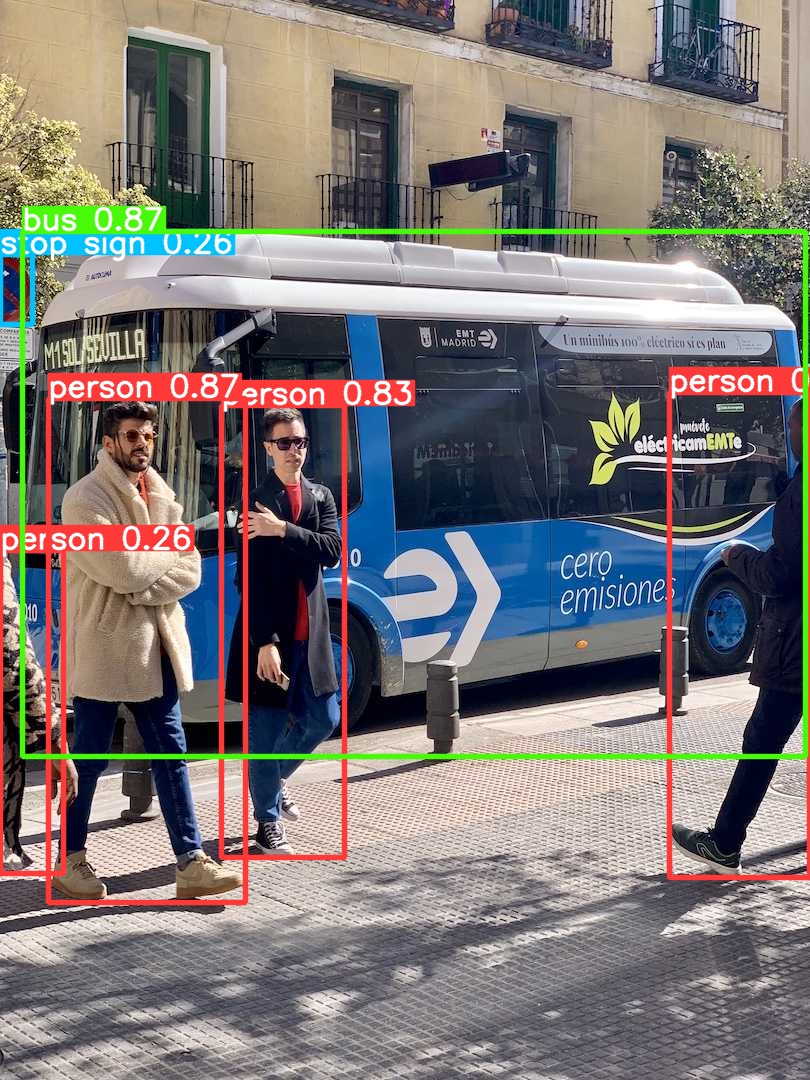
相机实时识别测试
- 创建测试脚本
$ cd ~/tools/yolov8
$ vim yolov8_usbcam.py
#!/usr/bin/env python3

import cv2
import torch
import time
from ultralytics import YOLO
import sys

def main():
    # Select camera (default 0)
    cam_id = int(sys.argv[1]) if len(sys.argv) > 1 else 0
    device = "cuda" if torch.cuda.is_available() else "cpu"
    print(f"[INFO] Using device: {device}")

    # Load YOLOv8n model
    model = YOLO("yolov8n.pt")
    if device == "cuda":
        model.to("cuda")  # keep full precision (FP32) on Jetson Nano

    # Open USB camera
    cap = cv2.VideoCapture(cam_id)
    if not cap.isOpened():
        raise RuntimeError(f"Failed to open camera /dev/video{cam_id}")

    # Set camera resolution
    width, height = 640, 480
    cap.set(cv2.CAP_PROP_FRAME_WIDTH, width)
    cap.set(cv2.CAP_PROP_FRAME_HEIGHT, height)

    print("[INFO] Press 'q' to quit.")

    try:
        while True:
            ret, frame = cap.read()
            if not ret:
                print("[WARN] Cannot read frame from camera.")
                break

            start = time.time()
            results = model.predict(frame, imgsz=640, verbose=False)
            end = time.time()

            # Draw detection results
            annotated = results[0].plot()

            # Show frame
            cv2.imshow("YOLOv8 USB Camera", annotated)

            # Print FPS
            fps = 1 / (end - start)
            print(f"FPS: {fps:.2f}", end="\r")

            # Press 'q' to exit
            if cv2.waitKey(1) & 0xFF == ord('q'):
                break

    finally:
        cap.release()
        cv2.destroyAllWindows()
        print("\n[INFO] Program exited.")

if __name__ == "__main__":
main()- 连接相机,执行脚本
$ python3 yolov8_usbcam.py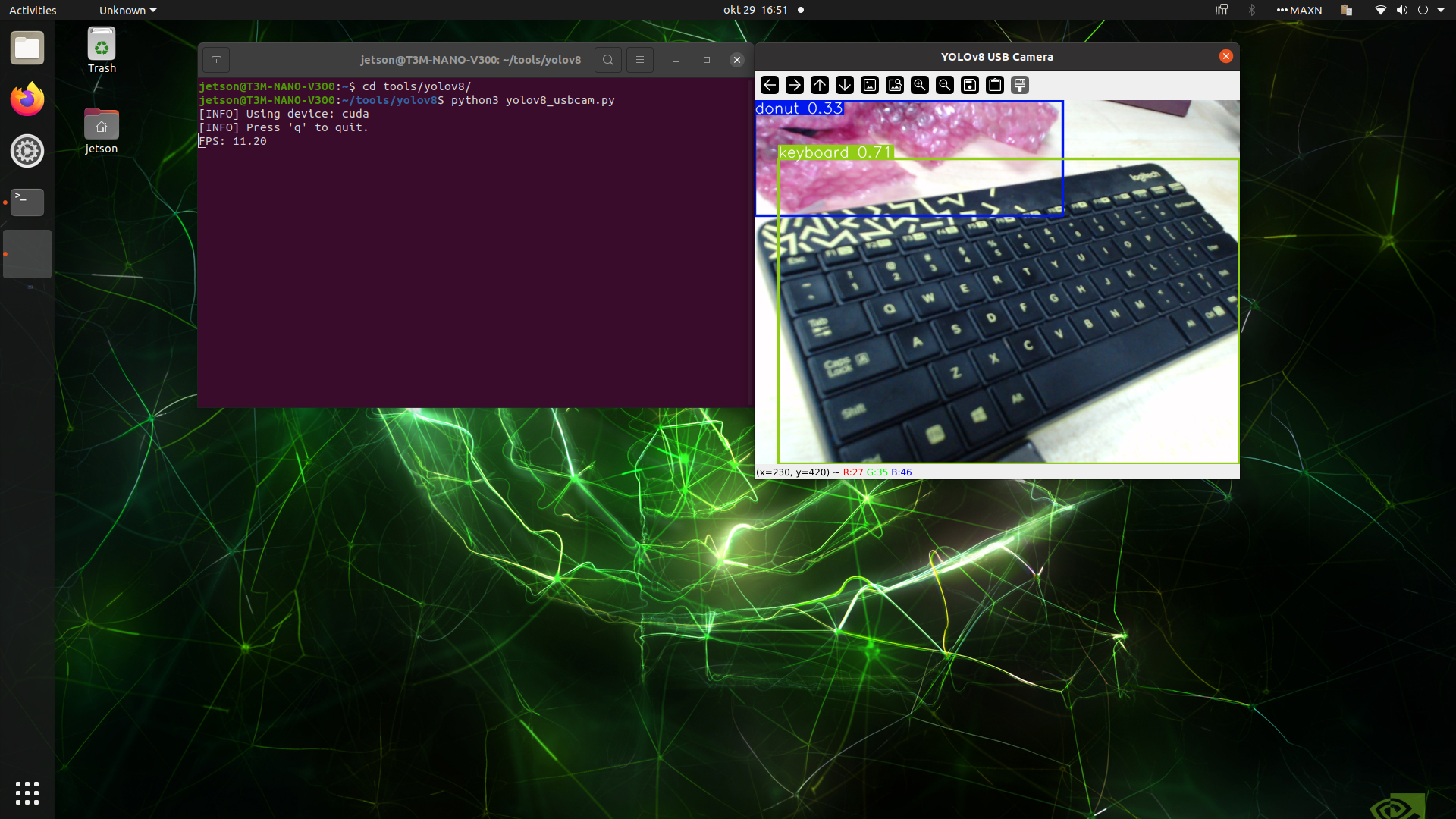
纠错,疑问,交流: 请进入讨论区或 请点击进入页面,扫码加入微信群或Q群进行交流
获取最新文章: 扫一扫加入“创客智造”公众号