文章说明
相关设备
前提准备
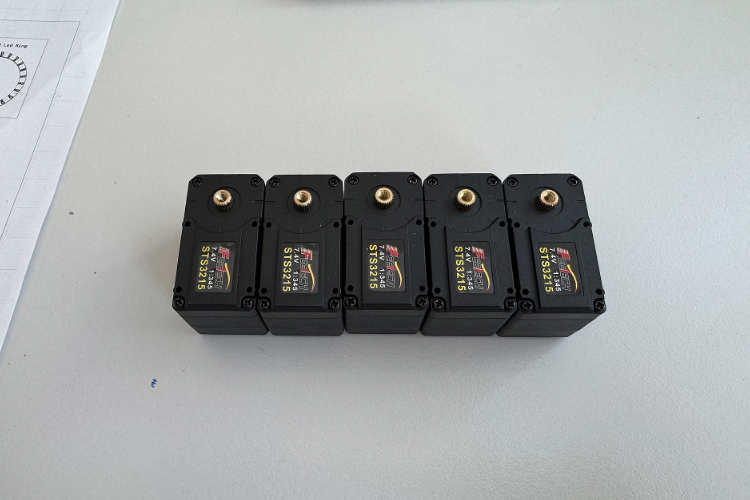
- base_yaw - 1
- base_pitch - 2
- elbow_pitch - 3
- wrist_roll - 4
- wrist_pitch- 5

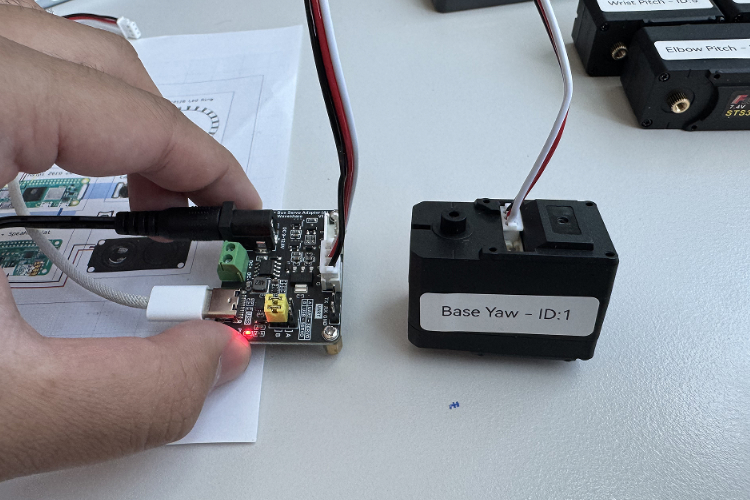
注意:本教程使用的舵机为12v的飞特舵机,故驱动板是使用12v的电源输入,但是树莓派默认是5v供电,故供电时需要分开单独使用5v电源进行供电
操作步骤
- 运行该步骤时,先要在树莓派启动进行软件安装,安装教程
- 根据终端输出确定驱动板连上树莓派的端口号
$ cd ~/lelamp_ws/lelamp_runtime
$ uv run lerobot-find-port
Finding all available ports for the MotorsBus.
Ports before disconnecting: ['/dev/ttyACM0', '/dev/ttyprintk', '/dev/tty63', '/dev/tty62', '/dev/tty61', '/dev/tty60', '/dev/tty59', '/dev/tty58', '/dev/tty57', '/dev/tty56', '/dev/tty55', '/dev/tty54', '/dev/tty53', '/dev/tty52', '/dev/tty51', '/dev/tty50', '/dev/tty49', '/dev/tty48', '/dev/tty47', '/dev/tty46', '/dev/tty45', '/dev/tty44', '/dev/tty43', '/dev/tty42', '/dev/tty41', '/dev/tty40', '/dev/tty39', '/dev/tty38', '/dev/tty37', '/dev/tty36', '/dev/tty35', '/dev/tty34', '/dev/tty33', '/dev/tty32', '/dev/tty31', '/dev/tty30', '/dev/tty29', '/dev/tty28', '/dev/tty27', '/dev/tty26', '/dev/tty25', '/dev/tty24', '/dev/tty23', '/dev/tty22', '/dev/tty21', '/dev/tty20', '/dev/tty19', '/dev/tty18', '/dev/tty17', '/dev/tty16', '/dev/tty15', '/dev/tty14', '/dev/tty13', '/dev/tty12', '/dev/tty11', '/dev/tty10', '/dev/tty9', '/dev/tty8', '/dev/tty7', '/dev/tty6', '/dev/tty5', '/dev/tty4', '/dev/tty3', '/dev/tty2', '/dev/tty1', '/dev/tty0', '/dev/tty']
Remove the USB cable from your MotorsBus and press Enter when done.

The port of this MotorsBus is '/dev/ttyACM0'
Reconnect the USB cable.
- 配置舵机ID,根据终端提示,每次只接上一个对应的舵机
$ cd ~/lelamp_ws/lelamp_runtime
$ uv run -m lelamp.setup_motors --id lelamp1 --port /dev/ttyACM0
Connect the controller board to the 'wrist_pitch' motor only and press enter.
'wrist_pitch' motor id set to 5
Connect the controller board to the 'wrist_roll' motor only and press enter.
'wrist_roll' motor id set to 4
Connect the controller board to the 'elbow_pitch' motor only and press enter.
'elbow_pitch' motor id set to 3
Connect the controller board to the 'base_pitch' motor only and press enter.
'base_pitch' motor id set to 2
Connect the controller board to the 'base_yaw' motor only and press enter.
'base_yaw' motor id set to 1




















