



















ros2与turtlebot3仿真教程-使用GPS定位和导航
纠错,疑问,交流: 请进入讨论区或 请点击进入页面,扫码加入微信群或Q群进行交流
获取最新文章: 扫一扫加入“创客智造”公众号
欢迎加入我们的turtlebot3交流群,微信扫描右侧二维码立即进群交流

说明
- 介绍如何利用turtlebot3进行GPS定位
- 测试环境: galactic,humble
步骤
- 利用rcm安装相关代码
rcm -s install_nav2_gps_ws- 效果
+---------------------------------------------------+
|                                                   |
|   =============================================   |
|                                                   |
|         Welcome to ROS Commands Manager CLI       |
|                                                   |
|   =============================================   |
|   Author:ncnynl                                   |
|   Email:1043931@qq.com                            |
|   Website:https://ncnynl.com                      |
|   Date:2022-11-18                                 |
|   QQ Qun B:926779095                              |
|   QQ Qun C:937347681                              |
|   QQ Qun D:562093920                              |
+---------------------------------------------------+

#####################################################
########Alternative scripts
#####################################################
ros2_gazebo:
  ID:239 - install_nav2_gps_ws.sh
  ------------------------------------------Install ros2 Omni wheel gazebo car shell
  ------------------------------------------ https://www.ncnynl.com/archives/202303/5842.html

└ Whether to execute the script? [Y/n]- 输入y即可安装,安装完成后,代码位于根目录下,
~/ros2_nav2_gps_ws
测试定位
- 启动仿真
ros2 launch nav2_gps_waypoint_follower_demo gazebo_gps_world.launch.py- 效果图
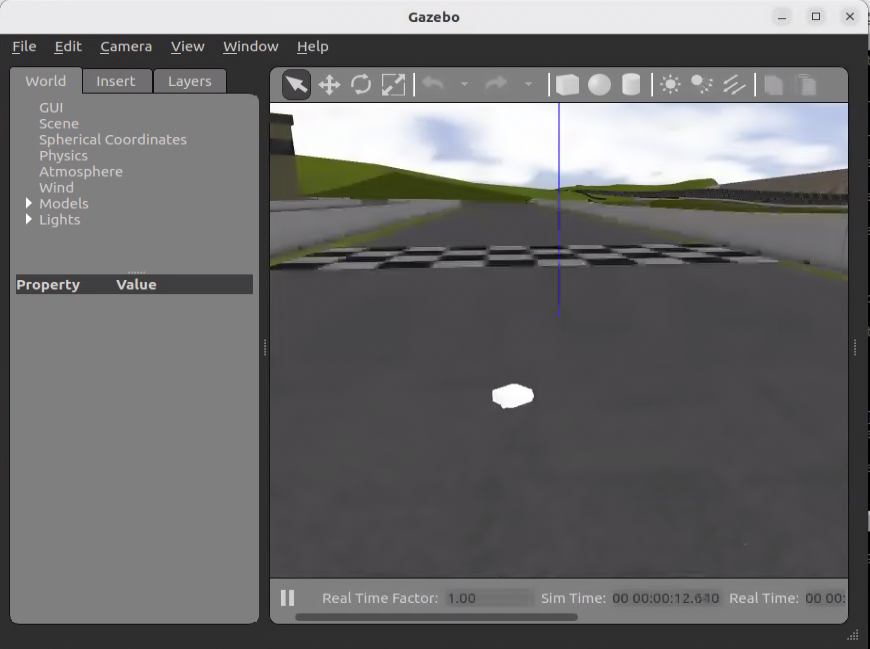
- 启动gps定位
ros2 launch nav2_gps_waypoint_follower_demo dual_ekf_navsat.launch.py- 启动mapviz
ros2 launch nav2_gps_waypoint_follower_demo mapviz.launch.py- 启动后要指定bing map的api key,此key可以到微软网站申请
- 效果图

- 启动键盘控制
ros2 run teleop_twist_keyboard teleop_twist_keyboard- 通过终端的按键 ijkl,来控制方向移动,可以看到gazebo和mapviz上小车进行移动。
测试导航
- 启动仿真
ros2 launch nav2_gps_waypoint_follower_demo gazebo_gps_world.launch.py- 效果图
- 启动gps定位
ros2 launch nav2_gps_waypoint_follower_demo dual_ekf_navsat.launch.py- 启动导航
ros2 launch nav2_gps_waypoint_follower_demo navigation.launch.py- 启动rviz
ros2 launch nav2_gps_waypoint_follower_demo rviz.launch.py- 效果图

- 通过点击rviz上的 nav2 goal,再在地图上指定点和方向,既可以导航
演示视频
<iframe height=498 width=100% src="//player.bilibili.com/player.html?isOutside=true&aid=113293855296363&bvid=BV1Lr2hYuEzj&cid=26257264357&p=1&as_wide=1&high_quality=1&danmaku=0" scrolling="no" border="0" frameborder="no" framespacing="0" allowfullscreen="true"></iframe> <iframe height=498 width=100% src="//player.bilibili.com/player.html?isOutside=true&aid=113293855296325&bvid=BV1Lr2hYuEBZ&cid=26257262177&p=1&as_wide=1&high_quality=1&danmaku=0" scrolling="no" border="0" frameborder="no" framespacing="0" allowfullscreen="true"></iframe>纠错,疑问,交流: 请进入讨论区或 请点击进入页面,扫码加入微信群或Q群进行交流
获取最新文章: 扫一扫加入“创客智造”公众号
欢迎加入我们的turtlebot3交流群,微信扫描右侧二维码立即进群交流