



















ROS2与Open-RMF仿真教程#Jazzy版#-单台turtlebot3使用free_fleet
纠错,疑问,交流: 请进入讨论区或 请点击进入页面,扫码加入微信群或Q群进行交流
获取最新文章: 扫一扫加入“创客智造”公众号
文章说明
- 本教程主要说明如何结合单台turtlebot3使用free_fleet
前提准备
- 本次例程使用的nav2中内置的tb3仿真
$ sudo apt update && sudo apt install ros-jazzy-nav2-bringup ros-jazzy-turtlebot3-simulations操作步骤

- 启动tb3仿真
$ export RMW_IMPLEMENTATION=rmw_cyclonedds_cpp
$ export TURTLEBOT3_MODEL=waffle

# Launch the simulation
$ ros2 launch nav2_bringup tb3_simulation_launch.py headless:=0- 启动zenoh
$ zenohd- 启动zenoh-bridge-ros2dds桥接通信,加载对应配置文件
$ zenoh-bridge-ros2dds -c ~/ros2_free_fleet_ws/src/free_fleet/free_fleet_examples/config/zenoh/nav2_tb3_zenoh_bridge_ros2dds_client_config.json5- 让
fleet_adapter通过zenoh通道接收TF变换,测试zenoh能否正常使用
$ ros2 run free_fleet_examples nav2_get_tf.py \
--namespace nav2_tb3- 发送一个测试导航点
$ ros2 run free_fleet_examples nav2_send_navigate_to_pose.py \
    --frame-id map \
    --namespace nav2_tb3 \
    -x 1.808 \
-y 0.503- 同时也可以在不同
ROS_DOMAIN_ID的机器上启动RMF,如果在不同机器上启动,也需提前装好open-rmf环境
$ export ROS_DOMAIN_ID=55

$ ros2 launch free_fleet_examples turtlebot3_world_rmf_common.launch.xmlfree_fleet_adapter加载当前示例配置,验证是否nav2_tb3已添加进去
$ export ROS_DOMAIN_ID=55

$ ros2 launch free_fleet_examples nav2_tb3_simulation_fleet_adapter.launch.xml- 使用
dispatch_patrol脚本方式创建任务
$ export ROS_DOMAIN_ID=55
$ ros2 run rmf_demos_tasks dispatch_patrol \
  -p north_west north_east south_east south_west \
  -n 2 \
-st 0- 或者通过rmf-web方式创建任务
# 新开终端,启动rmf-web的后端程序
$ cd ~/ros2_rmf_ws/src/rmf-web/packages/api-server
$ pnpm start

# 新开终端,启动rmf-web的前端程序
$ cd ~/ros2_rmf_ws/src/rmf-web/packages/rmf-dashboard-framework
$ pnpm start:example examples/demo- 现在打开浏览器,地址栏上输入
http://localhost:5173/
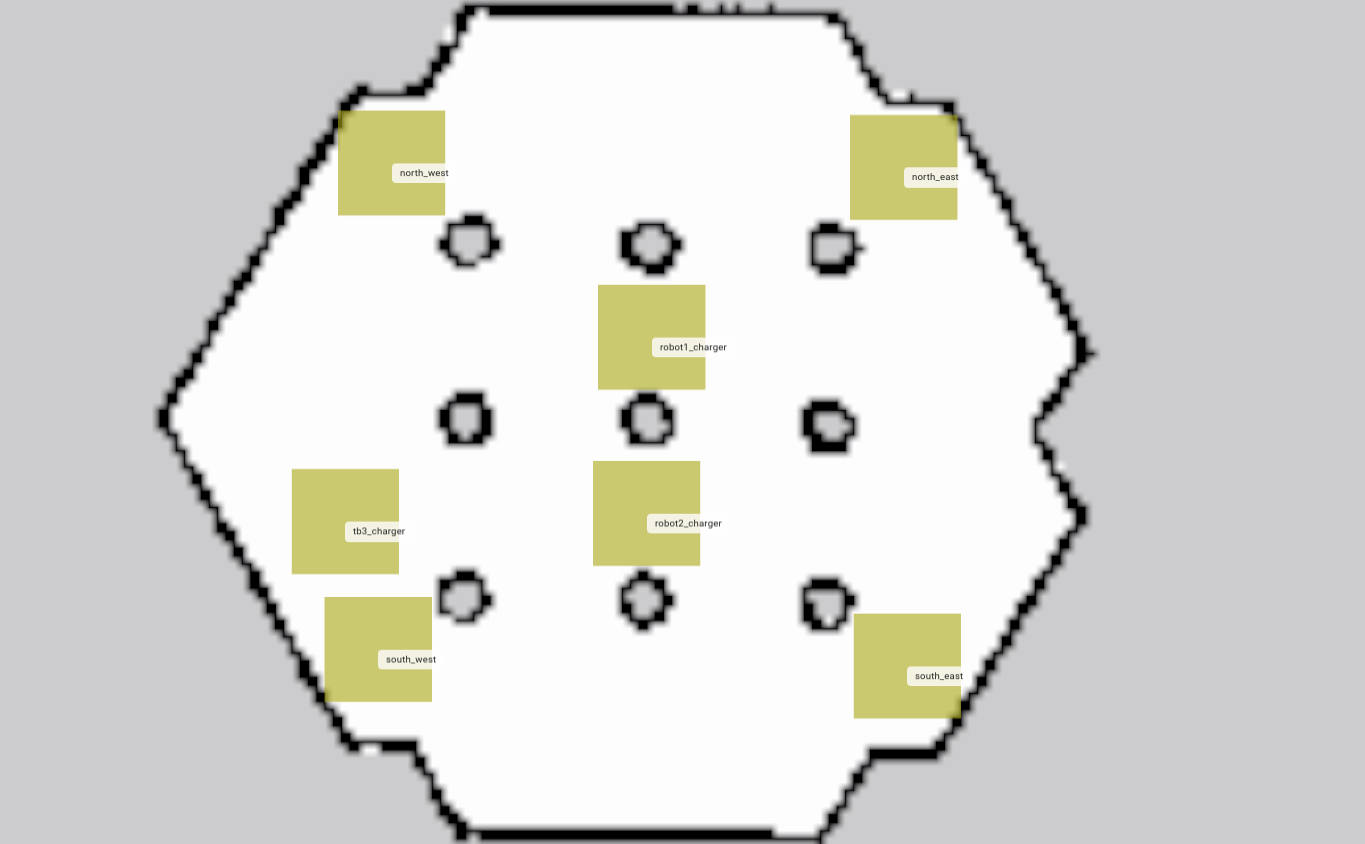
- 可参照视频里的操作,创建巡逻任务

参考资料
演示视频
- 视频中的示例均是在
ROS_DOMAIN_ID=0的环境下进行,但经后续测试在不同ROS_DOMAIN_ID环境下也是能正常通信的
纠错,疑问,交流: 请进入讨论区或 请点击进入页面,扫码加入微信群或Q群进行交流
获取最新文章: 扫一扫加入“创客智造”公众号